On iOS device a new Technology Preview was added (Settings > Technology Previews > Depth Map) which enables a new depth capture mode within the camera (letting you capture HEIC photos with depth maps).
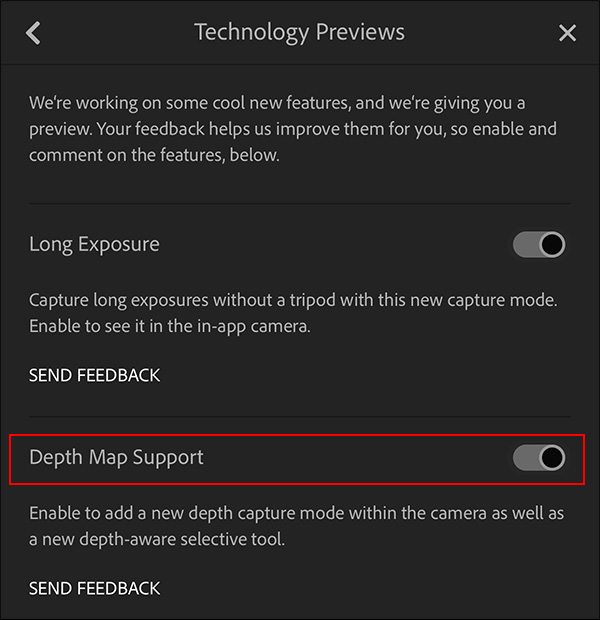
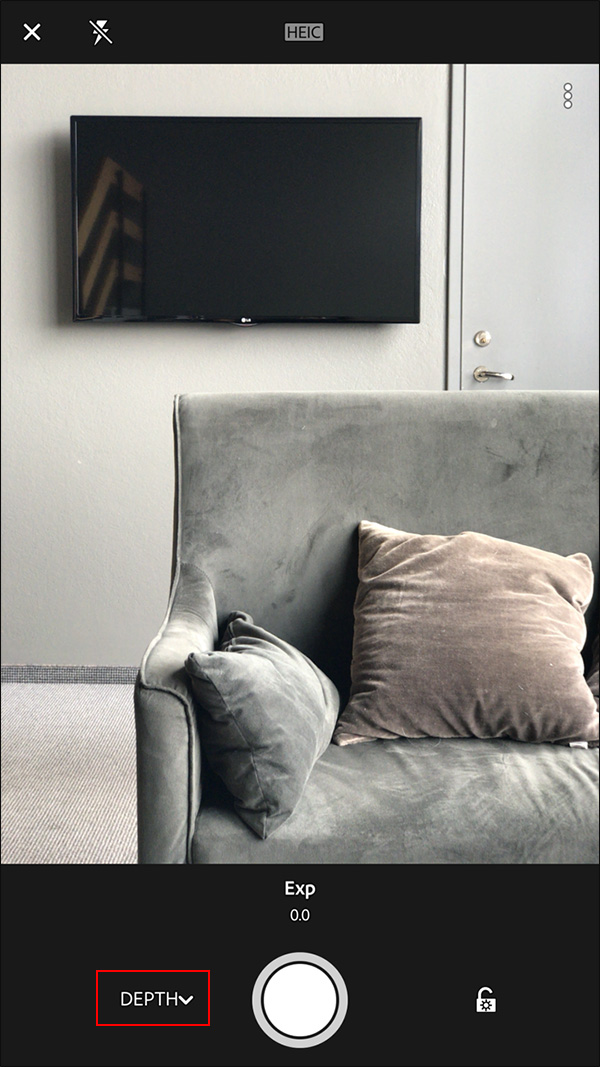
Once the Depth Map is enabled, select Depth from the drop-down menu in the camera.
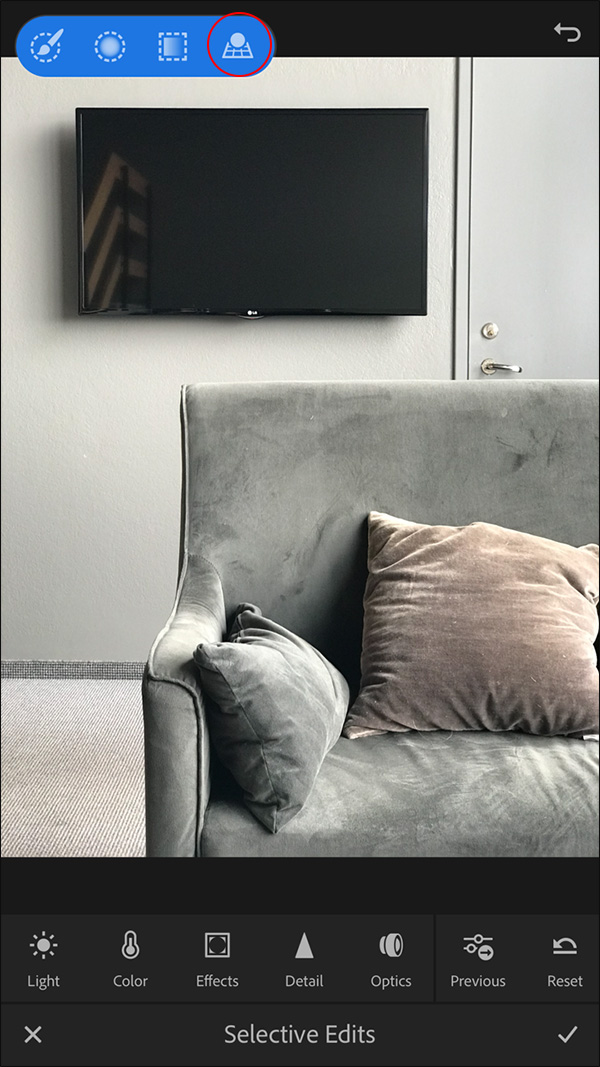
Click the Selective Edits icon and chose the new Depth-aware selective tool.
Use the Depth Map range sliders to isolate the area in the image that you want to turn into a selection (the selected area will appear in red).
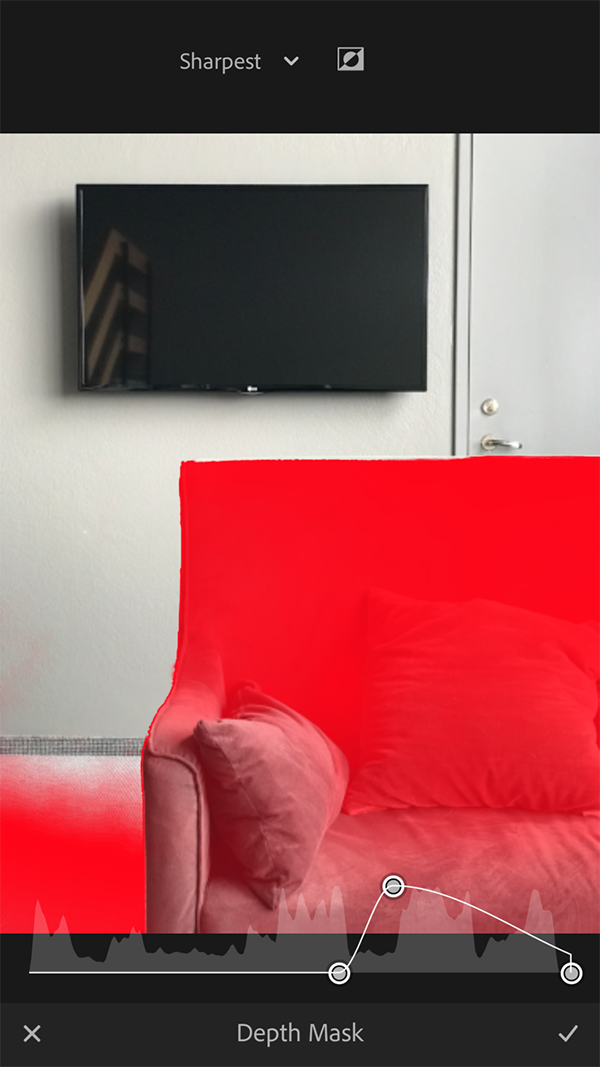
Then, use the Adjustment Brush to add to the mask (or the eraser to subtract from it) and apply the desired changes using the same editing tools that are available with the other selective tools.
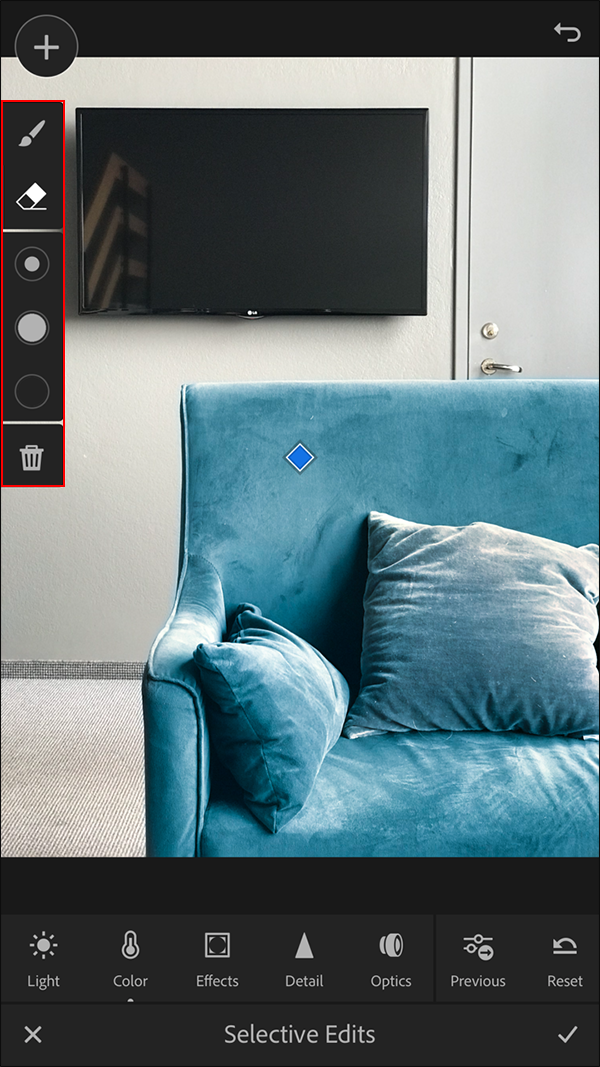
Source: Adobe Blog
More info: